Mobile vs Web Vitals Capture for Telehealth Apps
A product team comparison of native app versus browser-based vitals capture for telehealth platform vitals: performance, reach, and engineering cost.
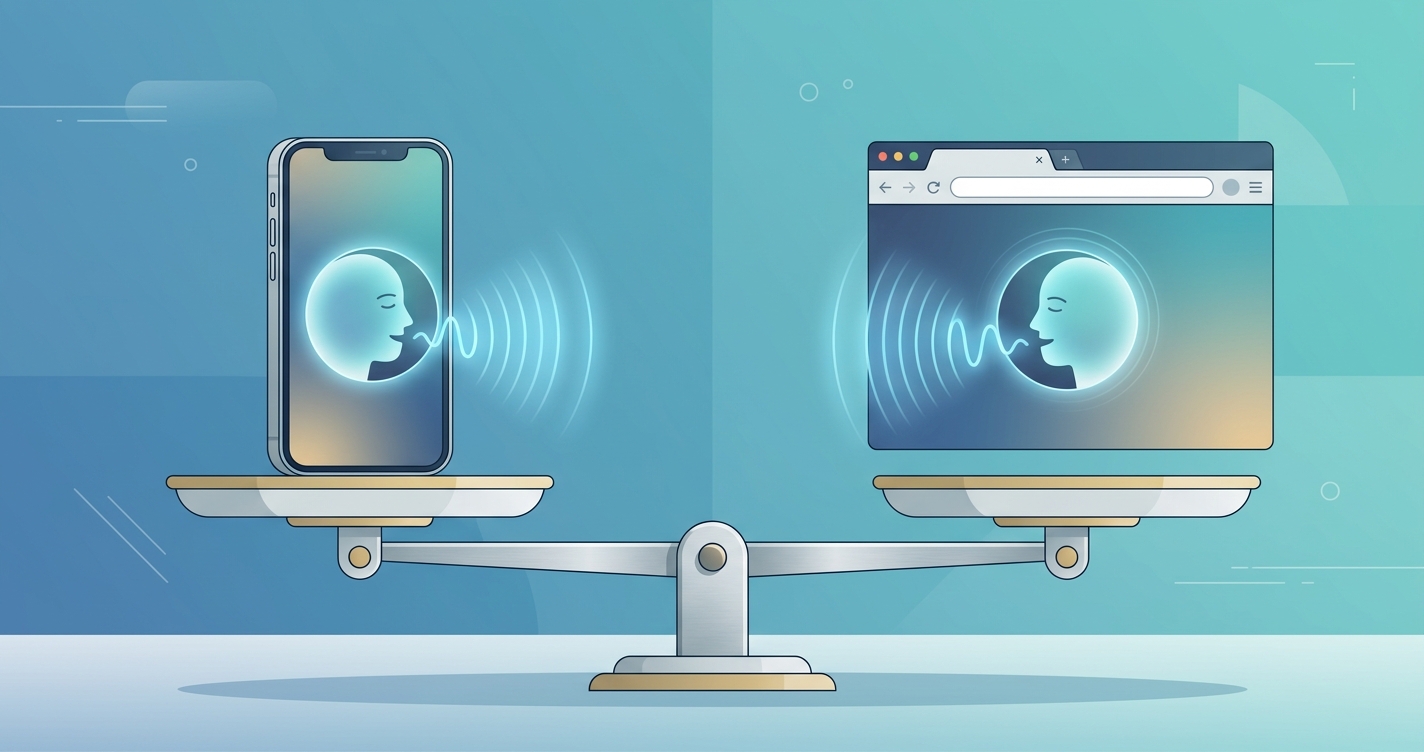
Every telehealth engineering team that decides to add camera-based vital signs eventually runs into the same fork in the road, and it has nothing to do with which algorithm to license. The question is where the capture happens: inside a native iOS or Android app, or inside the browser tab where most video visits already live. The two paths look interchangeable in a sales deck. They are not. They diverge sharply on frame rate stability, patient reach, battery cost, and the amount of engineering work it takes to keep the numbers trustworthy across a fragmented device fleet. For product teams weighing telehealth platform vitals against a roadmap full of other priorities, getting this decision right early avoids a painful re-platforming later.
A 2025 review of remote photoplethysmography methods reported average heart rate errors as low as 1.95 beats per minute under controlled capture, while real-world webcam studies show error climbing steeply once frame rate, lighting, and motion drift outside that window.
The gap between those two numbers is the whole story. rPPG works by reading tiny color changes in facial skin across a stable sequence of video frames. The capture environment, not the model, decides how clean that signal is. Mobile and web environments hand the model very different raw material.
Why the capture layer decides telehealth platform vitals quality
Remote photoplethysmography (rPPG) measures heart rate, respiration, and related signals by analyzing subtle variations in reflected light from the face. As Wim Verkruysse and later researchers established, the technique depends on consistent sampling: a steady frame rate, adequate light, and a face that holds reasonably still. When any of those degrade, the recoverable signal degrades with it.
That is why the native-versus-web decision matters more than most teams expect. A native app talks more directly to the camera hardware. It can request a locked frame rate, raw or lightly compressed frames, and predictable color handling. A browser sits behind an abstraction layer. It receives frames after the operating system and the browser engine have already made decisions about resolution, compression, and throttling, especially when the tab loses focus or the device gets warm.
For telehealth platform vitals, the practical consequence is signal stability. The same rPPG model fed clean native frames at a locked 30 frames per second will produce tighter, more repeatable readings than the same model fed adaptively compressed browser frames. Neither path is useless. But they are not equal, and pretending they are is how teams ship a feature that demos well and disappoints in production.
| Factor | Native Mobile Capture | Browser-Based Web Capture | | --- | --- | --- | | Frame rate control | Direct, can lock near 30 fps | Variable, subject to engine throttling | | Camera access | Low-level, raw or near-raw frames | Mediated through WebRTC and getUserMedia | | Patient reach | Requires app install | Instant via a link, no install | | Background throttling | Manageable with foreground session | Aggressive when tab loses focus | | Battery and thermal cost | Optimized, lower per the literature | Higher, browser adds a processing layer | | iOS constraint | Full hardware access | All browsers forced onto WebKit | | Engineering effort | Two native builds plus SDK wiring | One web build, broad device variance | | Update and versioning | App store review cycle | Instant deploy, no review |
Comparing the two paths on what product teams actually track
The decision rarely comes down to a single metric. Most teams are balancing four competing pressures at once.
- Signal quality: Native capture wins on raw stability because it controls the frame pipeline. Web capture is workable but needs defensive engineering around dropped frames and throttling.
- Reach and conversion: Web wins decisively. A patient clicks a link and the capture runs. No install means no drop-off, which matters most for one-time or low-frequency visits.
- Engineering cost: Web is one codebase but a wide device matrix to test. Native is two codebases but a more predictable runtime per platform.
- Operational control: Web deploys instantly. Native rides the app store review cycle, which slows urgent fixes to a capture bug.
A 2024 comparison of native Android apps against their web counterparts found native builds consumed measurably less energy and fewer CPU and memory resources for equivalent work. For a continuous capture task that runs for a minute or more during a visit, that overhead is not academic. It shows up as device heat, which throttles the camera, which degrades the very signal the feature depends on.
Industry Applications
High-frequency chronic care programs
Platforms serving hypertension, heart failure, or post-discharge monitoring typically already have an engaged patient who returns weekly or daily. Here the install cost of a native app amortizes quickly, and the payoff in signal stability supports trend tracking over time. Mobile vitals capture is usually the stronger fit when the same patient measures repeatedly and the clinical value lives in the trend rather than a single reading.
On-demand and urgent virtual visits
Direct-to-consumer urgent care lives and dies on conversion. A patient who has to install an app before a 2am visit often abandons the visit. Web video vitals let the capture run inside the existing browser session with zero friction. The tradeoff is accepting more variable capture conditions and engineering harder around them with quality gating and retake prompts.
Embedded and white-label platforms
Vendors who sell their platform to health systems often cannot dictate whether the end client ships a native app at all. A cross-platform vitals SDK that supports both native bindings and a web runtime lets the same capability follow the client's distribution model rather than forcing a rewrite. This is where in-app vital signs and web capture stop being a binary choice and become a deployment configuration.
Current research and evidence
The published literature is consistent on one point: rPPG accuracy is highly sensitive to capture conditions. A 2025 method reported by researchers working on motion-robust rPPG achieved an average mean absolute error of 1.95 beats per minute by explicitly compensating for movement, ambient light, and makeup. A separate 2026 smartphone-based system described by Google Research achieved a mean absolute percentage error below 10 percent for heart rate against ECG across skin tones, again under app-controlled capture.
In-the-wild webcam studies tell the harder half of the story. The "rPPG in the wild" work on online webcams documented how accuracy drops once frame rate, compression, and lighting fall outside controlled ranges, exactly the variance a browser introduces. The 2024 review of contact-based smartphone photoplethysmography also flagged how acquisition quality, more than the underlying model, drives whether a reading is clinically usable.
Two findings carry across all of this work for telehealth platform vitals:
- Frame rate stability matters more than peak resolution. A locked 24 to 30 fps stream beats a higher resolution stream that drops frames unpredictably.
- Skin tone fairness still depends heavily on capture quality. Darker skin tones show lower success rates when light and frame rate degrade, which means the capture layer is also a fairness layer, not only a performance one.
The engineering implication is that quality gating belongs in both paths. The system should detect poor capture, prompt a retake, and refuse to emit a number it cannot stand behind, whether the frames came from a native camera session or a browser tab.
The future of vitals capture in telehealth apps
The native-versus-web gap is narrowing on the web side, slowly. WebRTC and the browser media stack keep improving, and emerging access to lower-level frame data is giving browsers a cleaner pipeline than they had even two years ago. The persistent constraint is iOS, where every browser is still required to run on WebKit, inheriting Safari's media behavior regardless of which browser the patient prefers. Until that changes, the most reliable web capture on iPhones runs through a native shell.
The likely destination is not one path winning. It is convergence on a shared capture core exposed through both a native SDK and a web runtime, so a product team writes its quality logic once and chooses the distribution model per use case. Continuous, longitudinal monitoring will lean native for stability. One-time and acquisition-driven visits will lean web for reach. The teams that plan for both from the start will avoid the rebuild that catches teams who bet everything on one runtime.
Frequently asked questions
Is native or web capture more accurate for telehealth platform vitals?
Under matched conditions, native capture produces more stable readings because it controls the frame rate and gets closer to raw camera data. Web capture is workable but more sensitive to throttling and compression, so it needs stronger quality gating to reach comparable reliability.
Can browser-based vitals capture work on iPhones?
Yes, but with a caveat. All iOS browsers run on WebKit, so capture inherits Safari's media behavior no matter which browser the patient uses. For the most consistent results on iPhones, many teams wrap web capture in a native shell or ship a native build.
Does a cross-platform vitals SDK remove the need to choose?
It reduces the cost of the choice rather than eliminating it. A cross-platform vitals SDK lets one capture and quality core serve both native bindings and a web runtime, so the runtime decision becomes a deployment configuration instead of a rewrite.
Which path is better for one-time urgent care visits?
Web capture usually wins for on-demand and urgent visits because there is no install step, which protects conversion. The tradeoff is accepting more variable capture conditions and engineering around them with retake prompts and quality checks.
Circadify is building toward this convergence, with an rPPG SDK designed to capture vitals during video visits across both native and browser runtimes without patient hardware. If your team is weighing mobile against web for vitals capture, a platform-fit assessment can map the choice to your distribution model and patient mix. Explore the platform demo and SDK docs at circadify.com/custom-builds.