Improving Patient Adoption of Video Vitals Capture
Discover strategies for designing a patient workflow that encourages high adoption and compliance with camera-based video vitals on telehealth platforms.
Virtual care platforms have largely mastered the logistics of remote healthcare delivery. Scheduling is automated, messaging is secure, and high-definition video connectivity has become the baseline expectation. Yet, despite these logistical triumphs, a significant clinical gap remains. The collection of telehealth platform vitals has historically been a friction point. Providers have had to rely on patient-reported measurements, which are often subject to recall error, or require patients to purchase, operate, and sync external Bluetooth hardware. This hardware-centric model inherently limits accessibility and creates a fragile onboarding funnel that many patients abandon.
As a solution, engineering and product teams are turning to software-based alternatives, specifically integrating camera-based remote photoplethysmography (rPPG) directly into the video consultation flow. This technology analyzes micro-variations in the skin's light absorption to measure heart rate, respiration rate, and other physiological parameters using nothing more than a standard device camera.
However, replacing hardware with software does not automatically guarantee high compliance. The success of camera-based integration relies less on the underlying optical physics of the SDK and entirely on the intentional design of the patient workflow. Asking a user to participate in an optical scan requires them to follow specific environmental instructions. Without clear guidance, real-time feedback, and an intuitive user interface, even the most clinically robust video vitals integration will suffer from high abandonment rates, timeouts, and frustrated users. Product managers and UX leads must design these experiences with the same rigor applied to any consumer-facing digital product.
"By 2023, 80 percent of individuals had utilized telemedicine services at least once, creating a vast but usability-sensitive user base that expects clinical tools to mirror the seamless experience of consumer software."
- Embryo Health Technology Adoption Data, 2024
Optimizing telehealth platform vitals for patient experience
Product managers responsible for virtual care architectures must treat the vitals capture process as a core user journey rather than a simple feature toggle. The technical reality of rPPG requires patients to hold relatively still, maintain adequate ambient lighting, and position their faces within the camera frame for a specific duration, typically ranging from 30 to 60 seconds depending on the targeted metrics. If a telehealth application simply activates the camera without actively guiding the user through these physical constraints, the software will struggle to acquire a strong physiological signal.
Focusing heavily on telehealth usability means designing interfaces that pre-empt user errors before the measurement even begins. The most successful implementations treat the process as a collaborative interaction between the software and the patient. This involves utilizing device sensors to run pre-scan checks, ensuring the environment is conducive to an optical reading before asking the patient to participate.
Furthermore, transparency is a critical component of user adoption. Patients are accustomed to cameras being used strictly for video transmission. Repurposing that same video feed as a clinical sensor requires a brief but clear explanation within the UI. When conversational copy explains that the camera is securely measuring heart rate through subtle color changes in the face, users are far more likely to comply with instructions. They understand the clinical value of the interaction, transforming the scan from a technological hurdle into a meaningful part of their medical appointment.
| Feature | Legacy Hardware-Based Workflow | Optimized Video Vitals Workflow | | :--- | :--- | :--- | | Onboarding | Requires patient to purchase, pair, and calibrate external BLE devices. | Uses the existing smartphone, tablet, or laptop camera seamlessly. | | Instructions | Relies on PDF manuals or complex setup screens within the application. | Provides real-time, on-screen framing and lighting feedback. | | Data Synchronization | Prone to Bluetooth pairing drops and manual data entry errors. | Vitals are extracted from the video stream and sent directly to the EHR. | | Accessibility | High barrier to entry for elderly or low-income populations. | Low barrier to entry, utilizing devices patients already own and know. |
Strategies to increase patient engagement during capture
To maximize the patient experience vitals capture process, virtual care platforms must implement specific design patterns that assist the user without overwhelming their cognitive load. The goal is to make a highly sophisticated technological process feel entirely ordinary.
- Implement pre-visit environmental checks: Before initiating a capture sequence, the application should analyze the ambient light using the device's camera. If the environment is too dim or heavily backlit, the UI should pause and prompt the patient to turn on a lamp or face a window, preventing a failed scan before it starts.
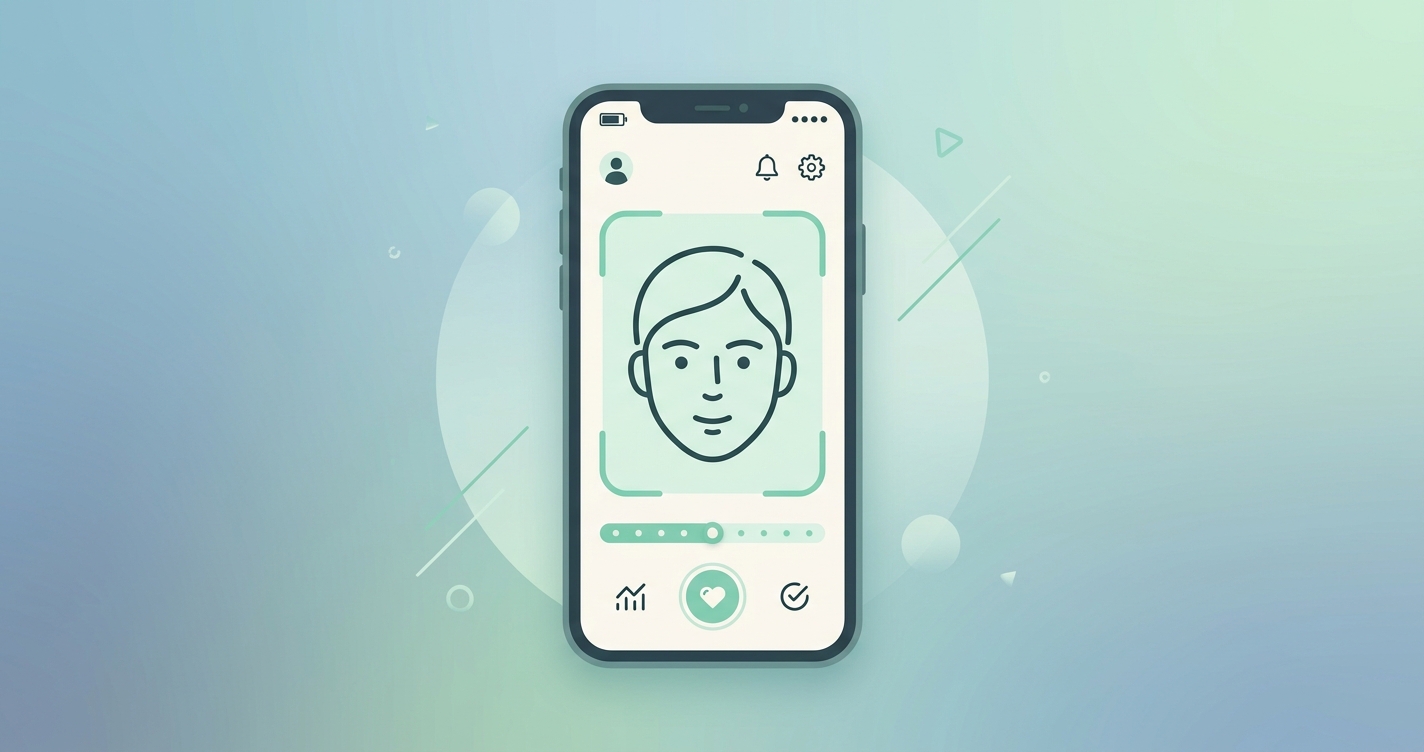
- Utilize dynamic facial framing guides: Overlay a graphical guide, such as a transparent oval or bounding box, directly on the user's video feed. This bounding box should ideally change color (for example, transitioning from red to green) when the patient's face is positioned correctly at the optimal distance from the lens.
- Provide definitive progress indicators: Remaining completely still for 45 seconds can feel surprisingly long when staring at a mobile screen. Implement a smooth, circular progress bar or a clear countdown timer. Predictability reduces anxiety and encourages the patient to hold their position until the scan completes.
- Design graceful failure states: If a reading fails due to sudden movement, a sneeze, or a lighting shift, the application must never display a generic developer error code. Instead, the UX should provide actionable, friendly advice, such as, "We detected a bit too much motion. Try resting your phone against a book or on a table, and let's try again."
- Contextualize the waiting room: Utilize the virtual waiting room as the ideal staging ground for vitals collection. By guiding the patient through the capture process while they wait for the clinician to join, platforms increase patient engagement and ensure the provider has immediate access to baseline metrics the moment the consultation begins.
Industry applications in virtual care
The integration of camera-based monitoring extends across various clinical modalities. Each specialty demands a slightly different approach to the user workflow to ensure high adoption rates.
Primary and urgent care
In on-demand urgent care scenarios, patients are frequently anxious, unwell, and seeking immediate reassurance. The workflow here must be exceptionally rapid, requiring absolute minimal cognitive effort. Incorporating the vitals scan into the initial intake questionnaire allows the software to establish a physiological baseline seamlessly, minimizing the administrative burden on the attending provider and maximizing face-to-face consultation time.
Chronic disease management
For populations managing long-term conditions such as hypertension, heart failure, or chronic obstructive pulmonary disease (COPD), consistent daily monitoring is the primary objective. Product teams building for this demographic must focus on habit-forming design. This means reducing the number of screen taps required to initiate a reading and integrating the process seamlessly into daily symptom-check applications, ensuring the barrier to entry remains consistently low.
Behavioral health and telepsychiatry
Behavioral health providers increasingly rely on vital signs to assess physiological stress markers during therapy sessions. In mental health platforms, the capture process should be designed to be calming and unobtrusive. Some platforms integrate the rPPG scan into a pre-session guided breathing exercise, effectively measuring heart rate and respiration rate while simultaneously helping the patient transition into a relaxed state of mind.
Current research and evidence
Academic and clinical studies confirm that while the underlying algorithms of optical monitoring are highly robust, usability remains the defining factor in patient adoption. A 2024 study conducted by Lynn Garvin, Eric Richardson, Leonie Heyworth, and D. Keith McInnes evaluated the real-world usability of contactless vital signs collection within the Veterans Affairs (VA) video telehealth platform. Utilizing a mixed-methods approach, the researchers found that when integrated directly into the familiar digital interface, both providers and patients rated the video vitals tool highly. Participants specifically noted the software as highly useful and exceptionally easy to navigate, proving that enterprise-scale health systems can successfully deploy this technology.
Similarly, a qualitative study by researchers Kerry V. Wood, Amelia Moore, Moyeen Ahmad, and Dila N. Bostanci (2023) at London South Bank University investigated the use of smartphone-based rPPG for cardiorespiratory self-monitoring. The research team concluded that patients highly appreciated the simplicity and real-time guidance offered by the applications, which resulted in strong patient confidence in the technology. However, the study also identified that environmental sensitivity, namely poor lighting conditions or excessive user movement, acted as the primary barrier to successful data extraction. This finding directly reinforces the necessity for proactive user experience design that guides the patient through environmental corrections.
Furthermore, research by Anna Maria Carluccio and colleagues (2022) focused specifically on deploying these systems for elderly populations. Their findings demonstrated that older adults can successfully and independently adopt remote photoplethysmography tools when the interface utilizes clear typography, high contrast, and avoids complex technical jargon. This establishes that advanced age is not a barrier to contactless monitoring, provided the software is designed inclusively.
The future of video vitals capture
The next iteration of virtual care platforms will likely shift from active, prompted measurements to entirely passive data collection. Currently, the most reliable way to extract optical vitals is to ask the patient to sit still within a specific framing boundary. However, as computer vision algorithms and machine learning models become increasingly robust against motion artifacts and variable illumination, the requirement for active patient participation will decrease.
In the near future, telehealth software will be capable of quietly and continuously analyzing a patient's physiological status in the background while they converse naturally with their physician. This evolution will eliminate the friction of the capture workflow entirely, yielding continuous, high-fidelity clinical data without requiring any active compliance from the user.
Until that level of ambient monitoring becomes standard, software engineering and product teams must bridge the gap by designing intuitive, highly guided experiences. By prioritizing user education, providing real-time environmental feedback, and integrating the capture process logically into the clinical workflow, platforms can achieve near-universal compliance with current-generation technology.
Frequently asked questions
How long does a video vitals capture typically take? Most camera-based vital sign measurements require the patient to hold relatively still for 30 to 60 seconds. The exact duration depends on the specific metrics being extracted and the quality of the surrounding lighting environment, which dictates how quickly the software can lock onto a stable physiological signal.
What happens if a patient moves during the measurement? If a patient moves excessively or speaks during an active scan, the software may lose its facial tracking lock, which can result in a failed reading. Best practices for UX design dictate that the platform should immediately pause the capture, notify the user with a gentle on-screen prompt to remain still, and automatically resume the progress bar once stability is re-established.
Do patients need high-end smartphones for video vitals? No, most modern contactless vital sign technologies are designed to operate effectively on standard RGB cameras found in consumer smartphones, tablets, and laptops manufactured within the last five to seven years. The processing logic is heavily optimized to run efficiently without requiring the latest flagship hardware or specialized depth sensors.
How does lighting affect the patient experience? Lighting is the most critical environmental factor in optical health monitoring. Strong backlighting or excessively dim environments prevent the camera from detecting the necessary micro-variations in skin color. Telehealth applications must include automated pre-scan lighting checks to gently guide the patient into a well-lit area before attempting to start a measurement.
As the virtual care market matures, the differentiation between platforms will depend heavily on the quality of clinical data they can reliably collect without burdening the patient. Circadify is addressing this space by providing a hardware-free approach to physiological measurement. Engineering and product teams looking to increase patient engagement and streamline remote care can add real-time vital signs to their software with a robust rPPG SDK. Explore the developer documentation and see a live platform integration by visiting circadify.com/custom-builds.